Set up the Telegram coaching bot
Get personalized AI coaching delivered straight to Telegram. Your bot will send post-workout feedback after every activity and an optional weekly training digest — all based on your real Intervals.icu data.
What you'll get
- Post-workout feedback — automatic analysis after each recorded activity (pace, power, heart rate, and more)
- Weekly training digest — a summary of your training week delivered on the day you choose
- Customizable coaching style — pick a personality preset or write your own instructions
Prerequisites
Before you start, make sure you have:
- An intervals.club account (sign up at intervals.club)
- Your Intervals.icu account connected — do this from the Dashboard
- The Telegram app installed on your phone or desktop
Step 1: Create a Telegram bot
You'll need your own Telegram bot. This takes about a minute:
- Open Telegram and search for @BotFather
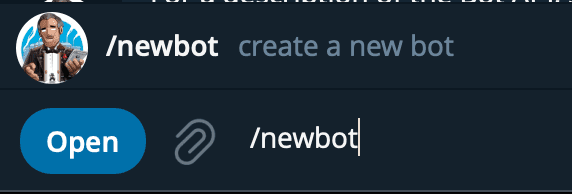
- Send
/newbotand follow the prompts — pick a name and username for your bot - BotFather will reply with a bot token (looks like
123456789:ABCdef...) — copy it
Why your own bot? Each athlete gets their own bot so coaching messages stay private and you have full control.
Step 2: Connect the bot to intervals.club
- Go to your Dashboard
- Scroll to the AI Coach (Telegram) section
- Paste your bot token into the input field
- Click Verify bot
If verification succeeds, you'll see your bot's username displayed.
Step 3: Start a conversation with your bot
- Click the "Start your coach bot on Telegram" button on the dashboard — or search for your bot's username directly in Telegram
- Send
/startto activate the connection
Once you send /start, refresh the dashboard page. The status should change to Active.
Step 4: Configure your preferences
With the bot active, you can customize:
Post-workout feedback
Toggle this on to receive coaching after each completed workout. The bot analyzes your activity data (heart rate, power, pace, intervals) and sends personalized feedback.
Note: Post-workout feedback triggers on activities uploaded directly to Intervals.icu, not on Strava syncs.
Weekly training digest
Toggle this on and choose which day of the week you want your summary. The digest covers your training load, wellness trends, and progress.
Coaching instructions
This is where it gets fun. You can personalize how your coach communicates:
- Personality presets — Balanced, Drill Sergeant, Hype Coach, or Data Scientist
- Situation presets — Race Prep, Recovery Focus, Zone 2 Base, and more
- Custom text — write anything you want (up to 1,500 characters)
Mix and match: pick a personality, add a situation, then edit the text to make it yours.
You're all set
Your Telegram coaching bot is now active. Here's what happens next:
- Complete a workout → your bot sends feedback within a few minutes
- Weekly digest day arrives → your bot sends a training summary at 8 AM UTC
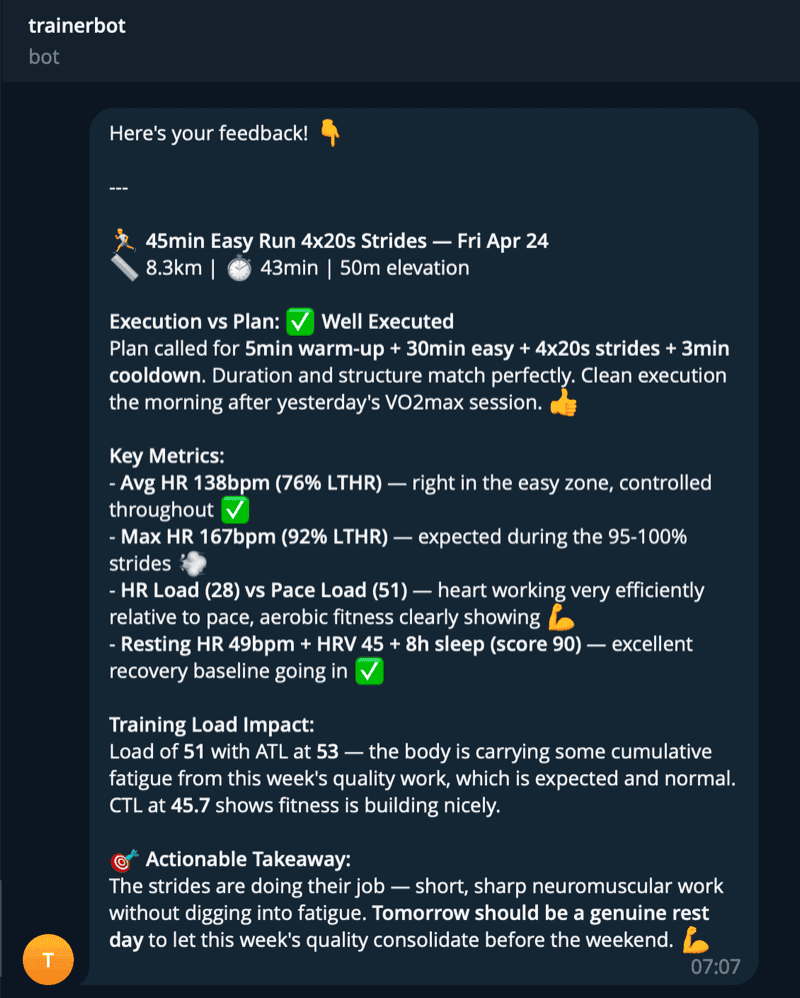
Here's an example of what a post-workout message looks like in Telegram:
You can always adjust your settings or disconnect the bot from the Dashboard.