Connect intervals.club to Claude
Add intervals.club as a connector in Claude so you can have natural conversations about your training data — ask about workouts, wellness trends, race prep, and more.
What is MCP?
MCP (Model Context Protocol) lets AI assistants like Claude connect to external data sources. Instead of copy-pasting data, Claude can directly query your Intervals.icu training data through intervals.club.
Prerequisites
Step 1: Open Connectors settings
- Open Claude and click on Settings
- Click on the Connectors tab in the left sidebar
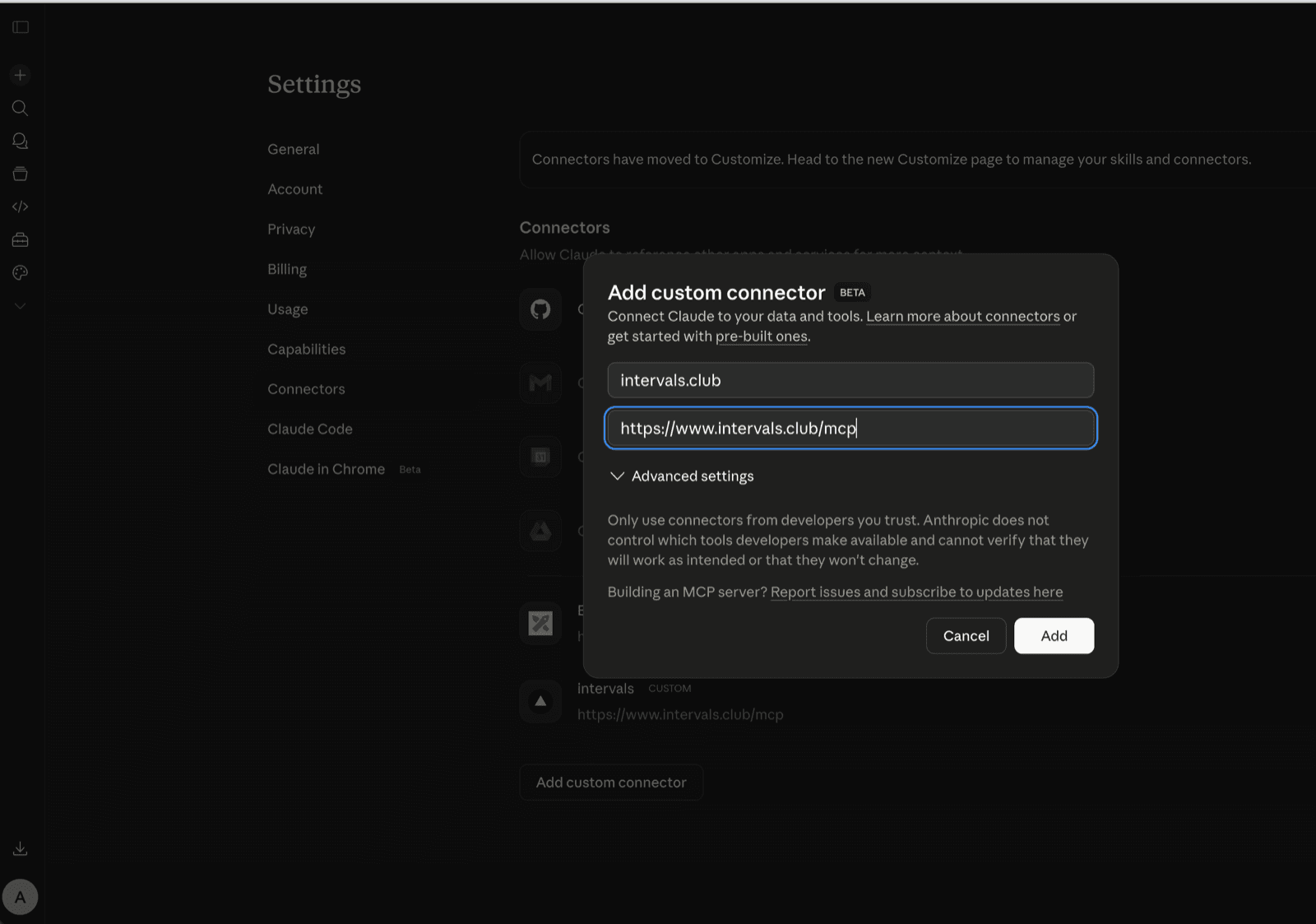
- Click the "Add custom connector" button
Step 2: Add intervals.club
In the dialog that appears:
- Enter a name:
intervals.club - Enter the URL:
https://www.intervals.club/mcp - Click Add
Step 3: Connect the connector
Back on the Connectors page, you'll see intervals.club in your list. Click the Connect button next to it. This is a one-time step.

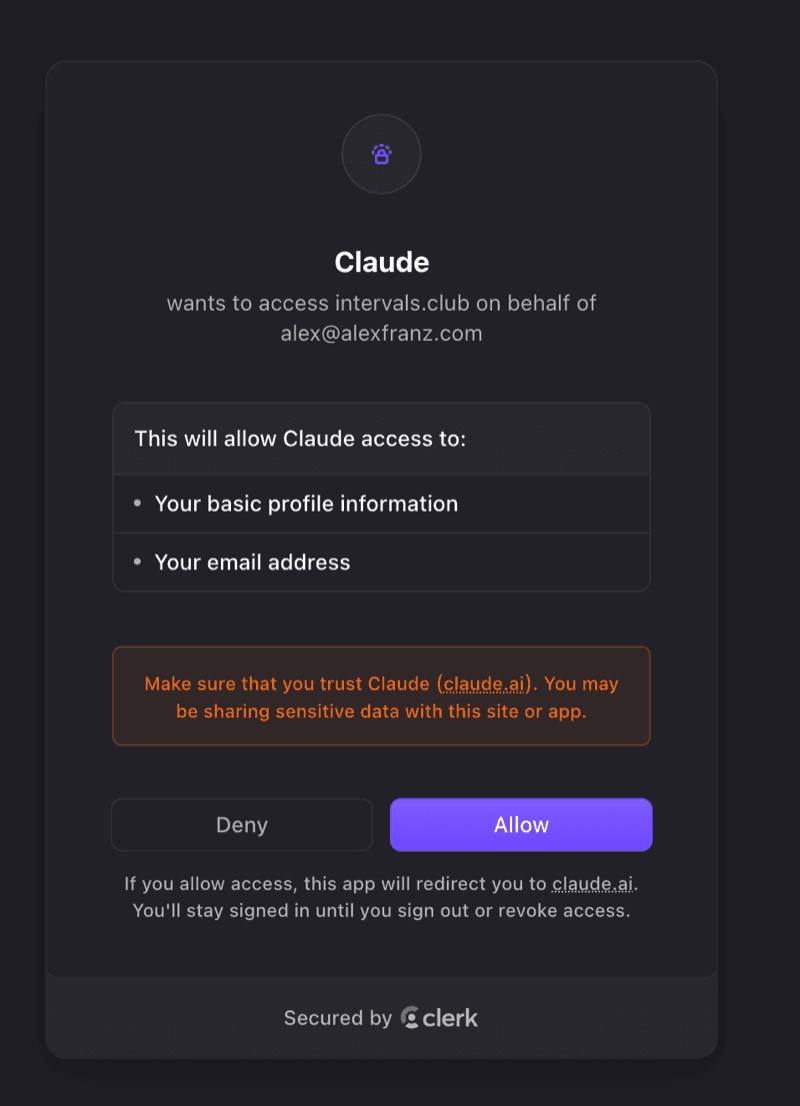
Step 4: Authorize on intervals.club
Claude opens a new browser window on intervals.club asking you to authorize access:
- Sign in if you're not already
- Review the requested permissions and click Authorize
- You'll be redirected back to Claude — the tools are now active
Step 5: Start asking questions
You can now talk to Claude about your training in any conversation. Try these prompts:
- "Analyze my last 5 workouts and give me a training load summary"
- "What was my best workout in the last 30 days and why?"
- "Am I ready for a hard workout tomorrow based on my recent training?"
- "What's my fitness trend over the past month?"
- "Plan a recovery week based on my current fatigue levels"
Claude will use the intervals.club tools to fetch your data and give personalized answers.